Log+Key 2.5 is our next big step: we’re putting you in full control of your plan and your user permissions. In this post you’ll find out how the new plan management, self-configurable roles and handy convenience features make your day-to-day object management noticeably easier.
💳 Manage your plan and subscription yourself
From now on you manage your Log+Key plan yourself – right in the app under Billing & Subscription.
- Full self-service: see your current plan with all costs, switch to a larger or smaller plan at any time and keep your billing details up to date.
- Transparent object limits: so you always know where you stand, Log+Key shows your current number of objects and lets you know in good time when you’re approaching your plan’s limit. Under Find Your Plan you enter how many objects you need and get the right plan suggested.
Note for existing customers: if you’ve been using Log+Key since before October 2026, you’ll keep paying by invoice as before. Online payment – and with it switching plans in the app – is being enabled for you step by step, so you may not see the Billing & Subscription page yet. Object limits are also being introduced gradually for existing customers. Want to switch now? Just write to hello@log-key.de.
Screencast: the Billing & Subscription page with the current plan and the number of objects, then the available plans and the “Find Your Plan” slider suggesting Log+Key 1000 for 551 objects
All the details are in the documentation under Billing & Subscription; current prices are on our pricing page.
🔗 Link collections right on the object
An object usually comes with a lot of information. You can now attach as many links as you like, each with its own title, to any object – so everything important is at hand when it’s taken out, for example:
- Links to documents in your company drive (such as tenancy agreements or handover records)
- Links to maintenance instructions or video tutorials (such as the manual for special tools or the grass trimmer)
Screencast: while editing a cordless drill, the links “Operating manual” and “Safety inspection 2026” are added; after saving, both appear on the object’s detail page
📝 Type-specific fields and info-only fields
Capturing additional information gets even more precise:
- Fields per object type: need a vehicle number only for cars and a slot number only for keys? You can now tie custom fields to specific object types.
- Info-only fields: show certain details as a plain notice on checkout or return that users confirm but can’t accidentally edit.
How to set the fields up is explained in Setting up custom fields for objects.
🔑 Adjust roles and permissions yourself
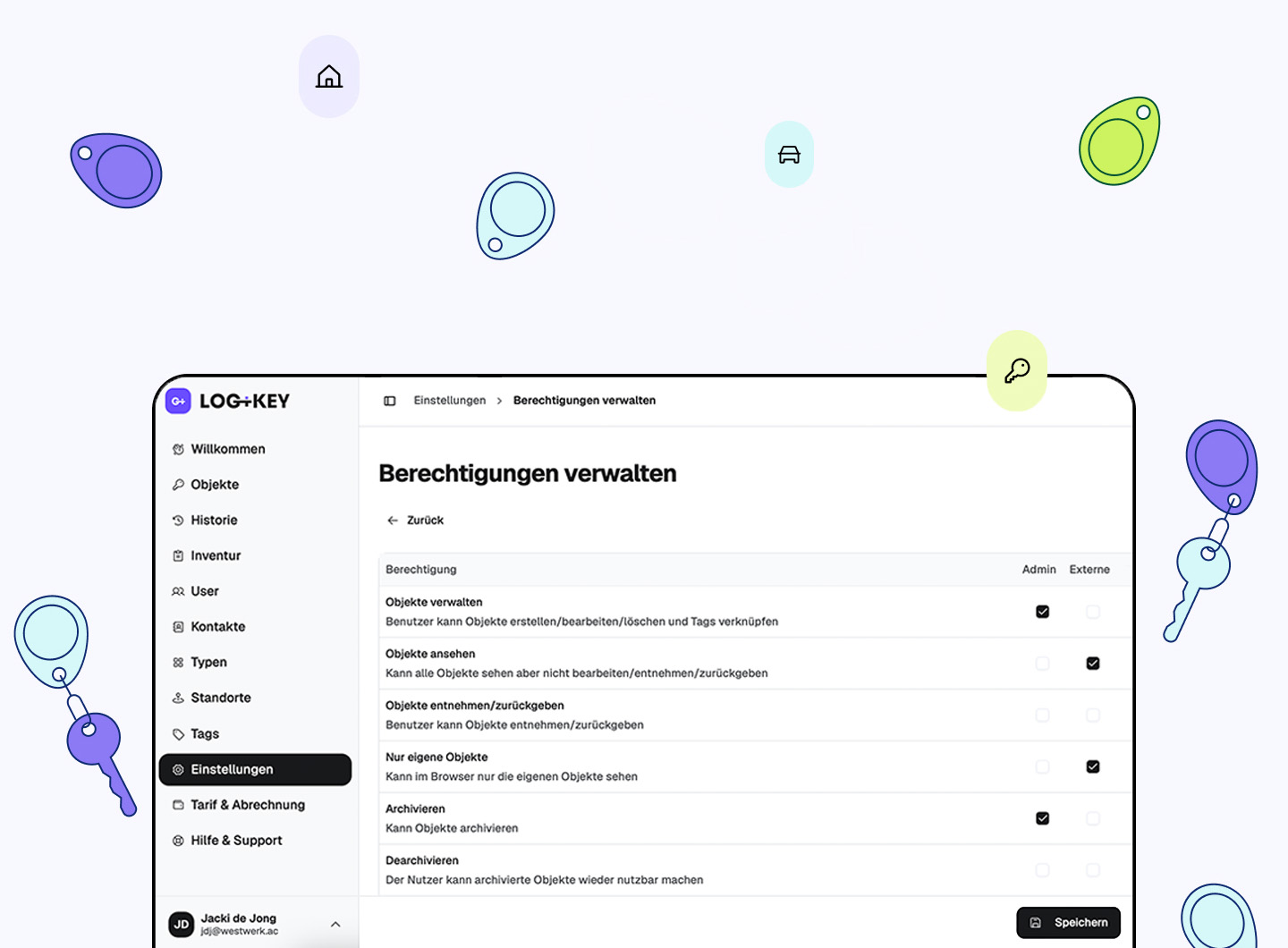
Your organisation is changing? Log+Key changes with it. In the settings you can now create your own roles and define exactly who may use which features and views. There’s also a new Owner role: it includes all administrator permissions plus managing roles, permissions and billing.
Screencast: role management with the permission matrix, three permissions of the custom role Schichtleitung are toggled
Explained step by step in Managing roles and permissions.
👥 More efficient contact and user management
- Turn contacts into users with one click: an external contact becomes a permanent team member? Convert them into a full user with a single click.
- Quick creation right in the flow: when you pick a recipient for an assignment or a receipt, you can create new contacts straight from the drop-down.
- Extended user table: the user overview now shows at a glance how many objects someone currently has checked out.
🖥️ More convenience at the terminal and in the overviews
- Terminal languages: the terminal now automatically uses your organisation’s default language.
- Clearer object overview: in the object overview, the column “Taken by” replaces the former “Last used by” – so you see straight away who has an object right now.
- Comment templates per object type: predefined comments can be limited to specific object types, so only the relevant templates appear at checkout.
🛠️ Performance and bug fixes
As usual, version 2.5 also brings plenty of small improvements and fixes that make the whole system more stable and faster. You’ll find the complete list of changes in the changelog.
Questions about the update?
If a question about your plan or about roles and permissions comes up, just get in touch – our support team is happy to help. We’re also glad to show you the new features in a personal demo.